
There are many times in Zocdoc where a Patient will book another visit with us, but will mark themselves as a new Patient. When they do this, we are charged again for the visit, when all existing Patients we do not get charged for them. When this happens, be sure to follow the steps below.
📚Resources Needed
🚀 Tips & Tricks
- You will know if it is a pre-existing Patient if you did not need to create the Patient. If they were already created and already had an appointment scheduled at one point, that means they are pre-existing.
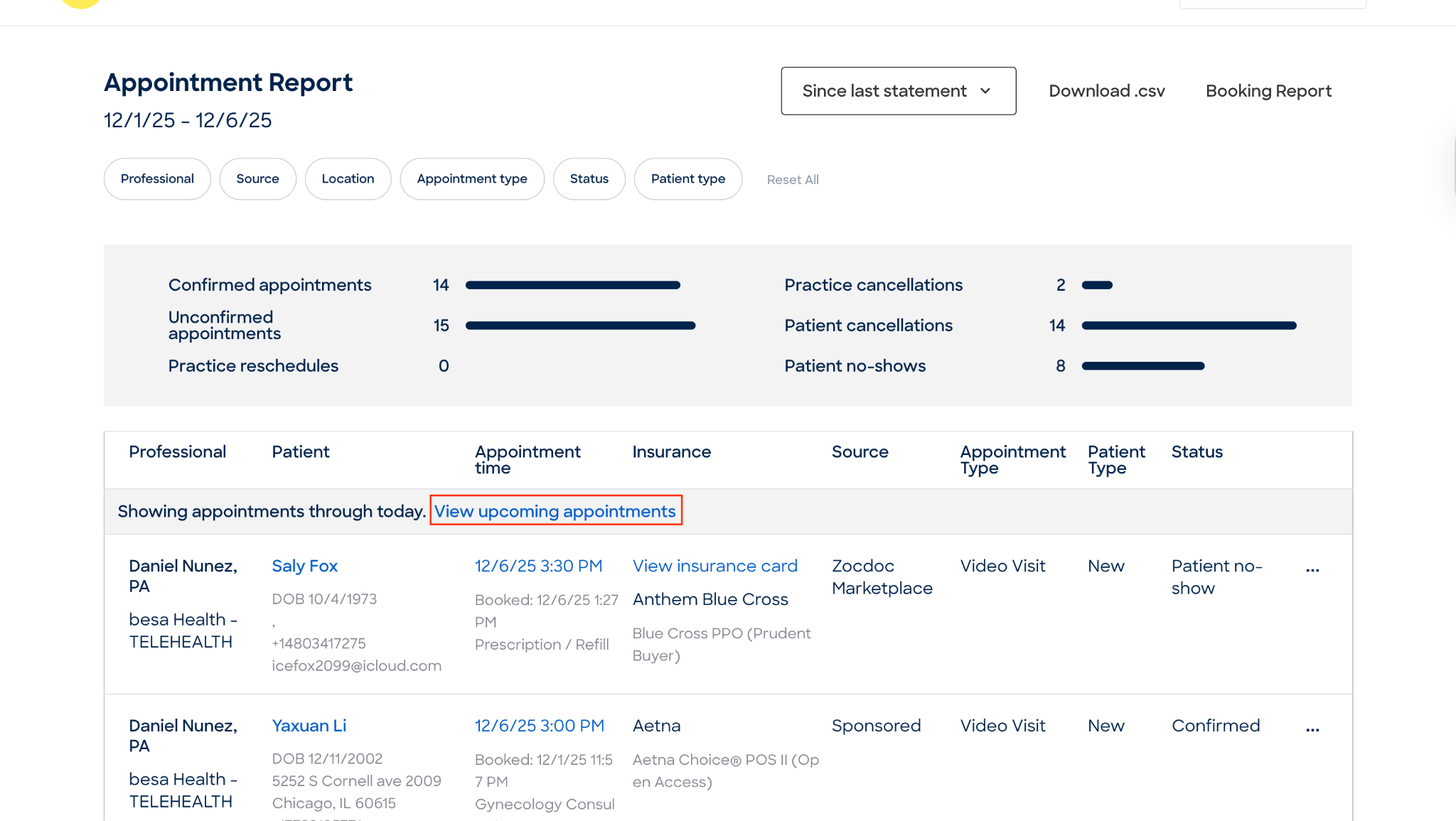
- If it is a future appointment, you may need to click the link View Upcoming Appointments there in the Appointment report page.
📘 Instructions
Here’s some of the main actions you will need to perform
- When adding appointments from Patient bookings in Zocdoc, be sure to look out for the Patient status. There are two possible scenarios:
- New Patient
- Existing Patient
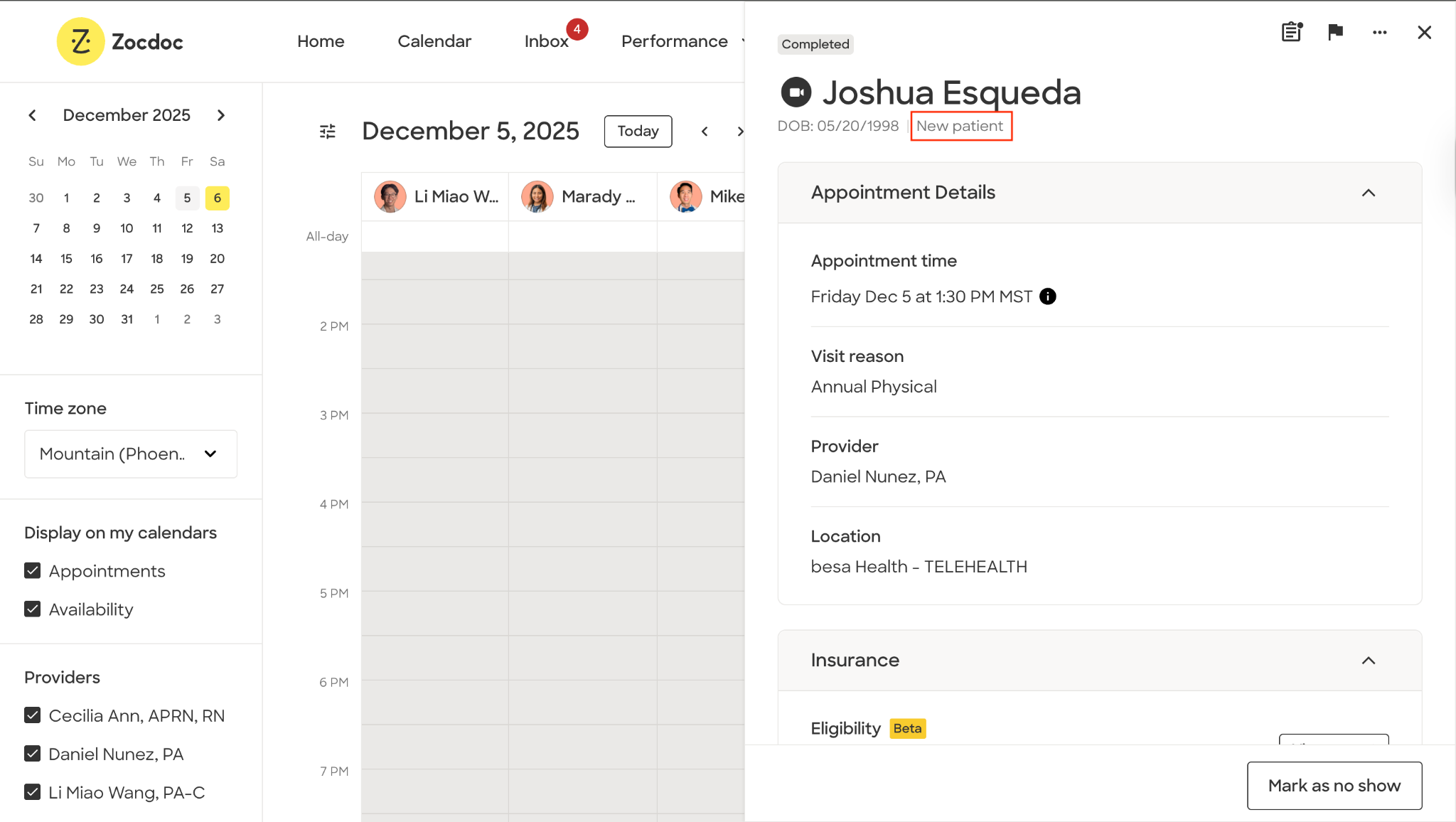
- When you add the Patient, if you see they already have an account with us, check to make sure they already had an appointment. - Regardless if it was a no-show, cancellation, etc. If so, we will need to add the appointment and mark the Patient as an existing Patient.
- Go to the Appointment Report
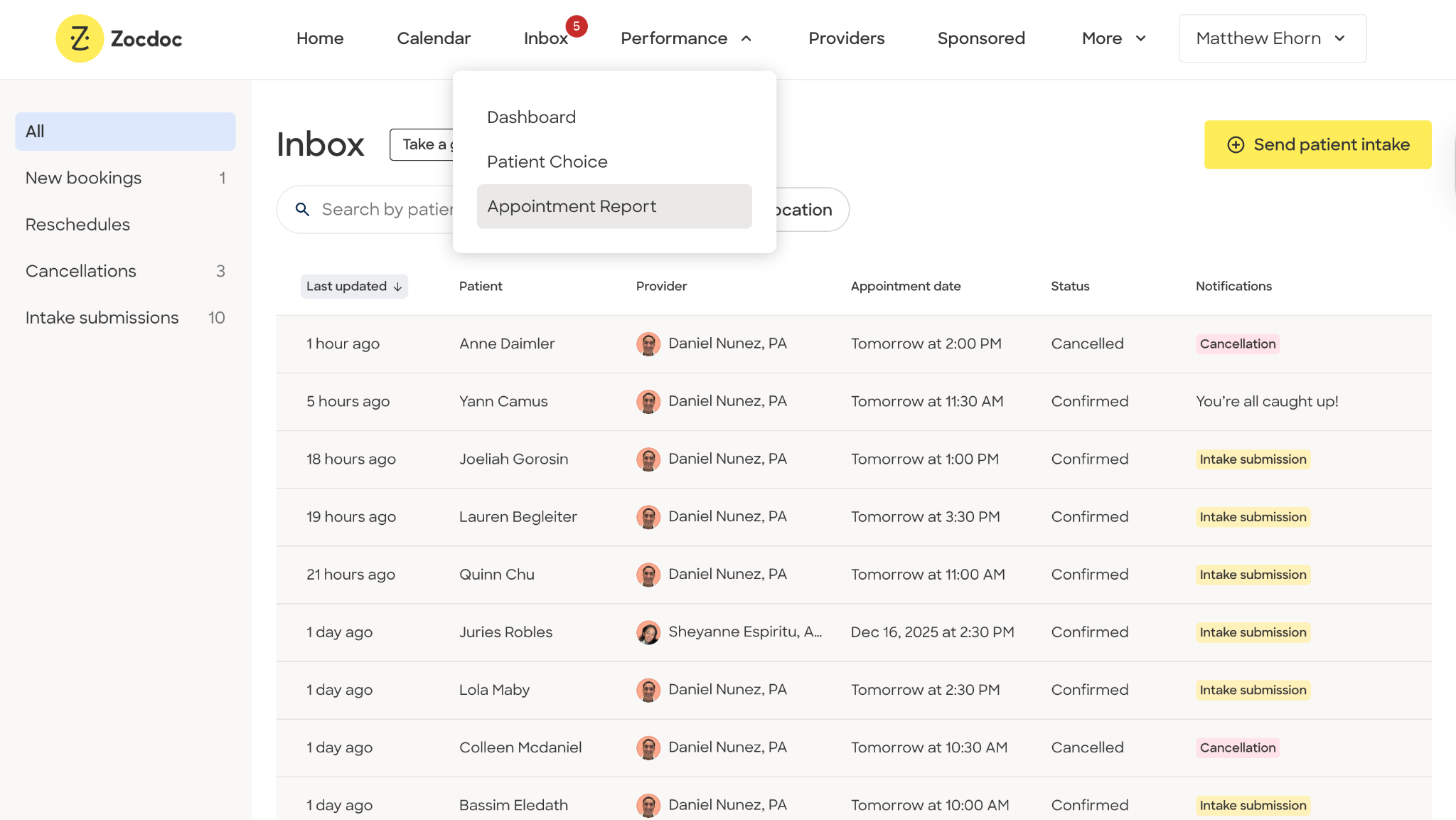
- Look for the Patient you know we have already seen. All past appointments will show here on the main page.
- If the appointment is in the future you will need to click on the to click the link View Upcoming Appointments.
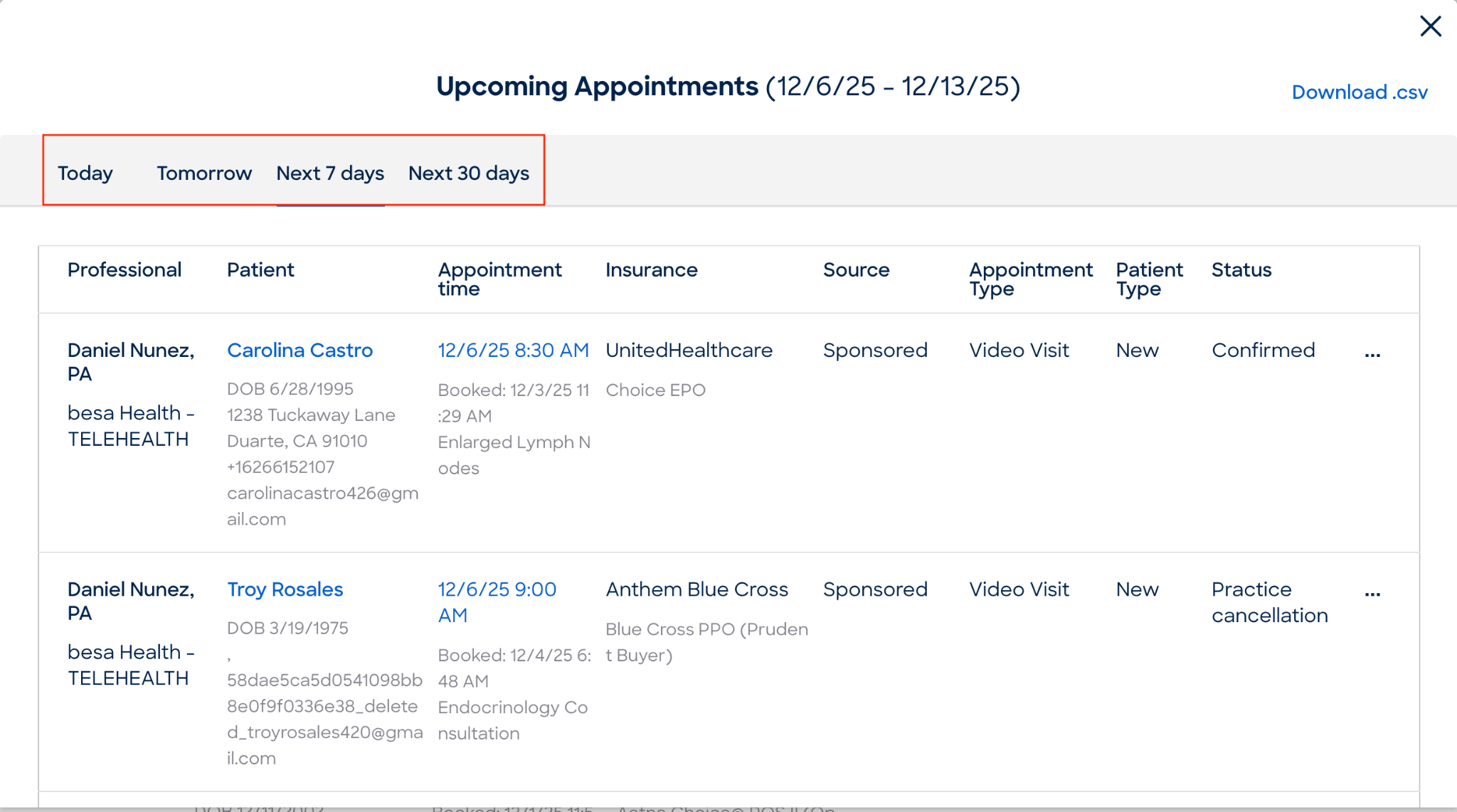
- Keep an eye out for the filters here at the top of the pop-up.
- When you find the Patient you are looking for, click on the 3 dot action icon and select, Submit a claim that this is an existing Patient.
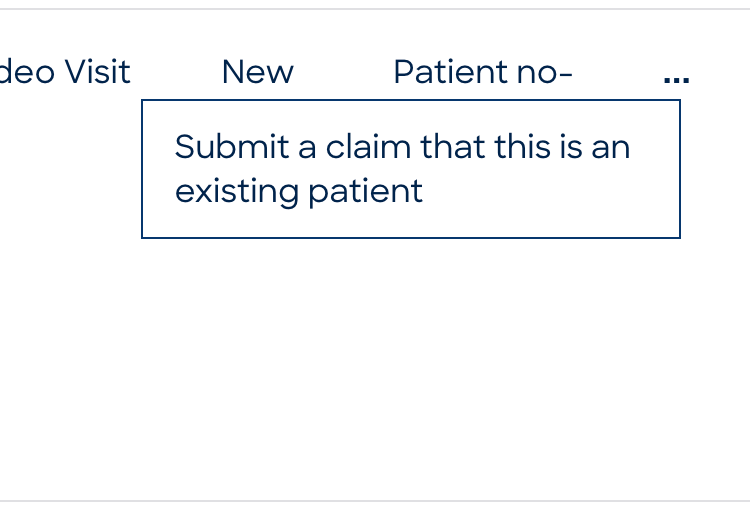
- Add the date from the EHR that we have on record for the Patients original appointment date.
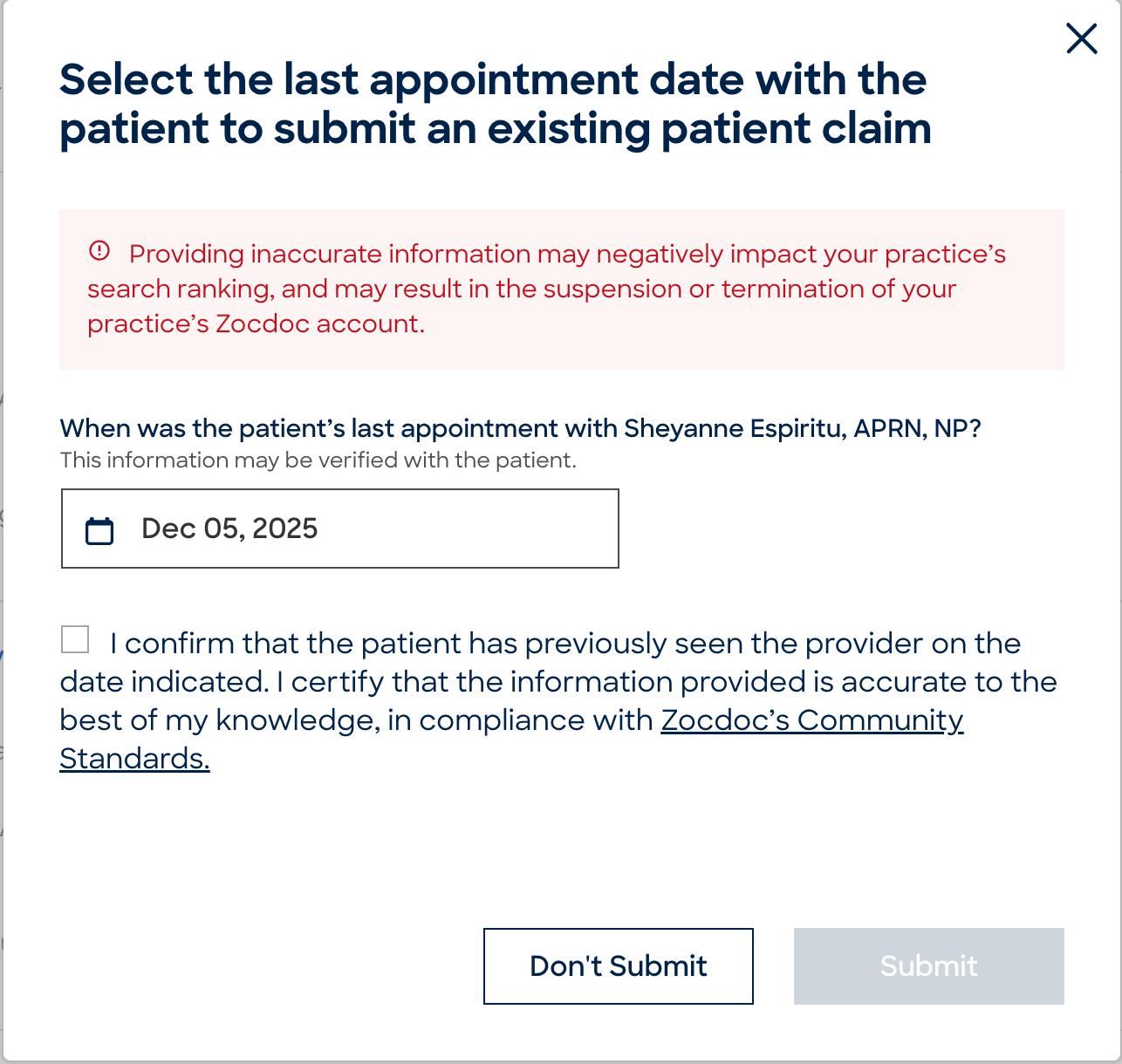
- Confirm it is correct and press Submit.
Comments (0)