
Since we do a lot of primary care, referrals are a big part of what we do. Depending upon the insurance company will determine the steps needed. Depending upon the insurance plan will determine if we can send the referral or not. Regardless, we should get in contact with the Patient about next steps and guide them. Look below for the details on how to do this.
📚Resources Needed
- besa EHR
- Availity (Anthem portal)
- Anthem Provider Search
- FaxBetter
🚀 Tips & Tricks
- We can only send a referral for a Patient that has a PPO plan.
- Call around to a few different providers to see who can see the Patient the soonest. Make sure to let them know the Patient has a PPO plan.
- The referral should be for a Physician, not a mid-level.
- We automatically send them an email when adding to the EHR. We also send them a fax with the following:
- Order request
- Encounter notes
- Any supporting documents like labs, etc.
📘 Instructions
Make sure not to forget one of these steps.
- You will see the referral order there in the orders page in the Draft field.
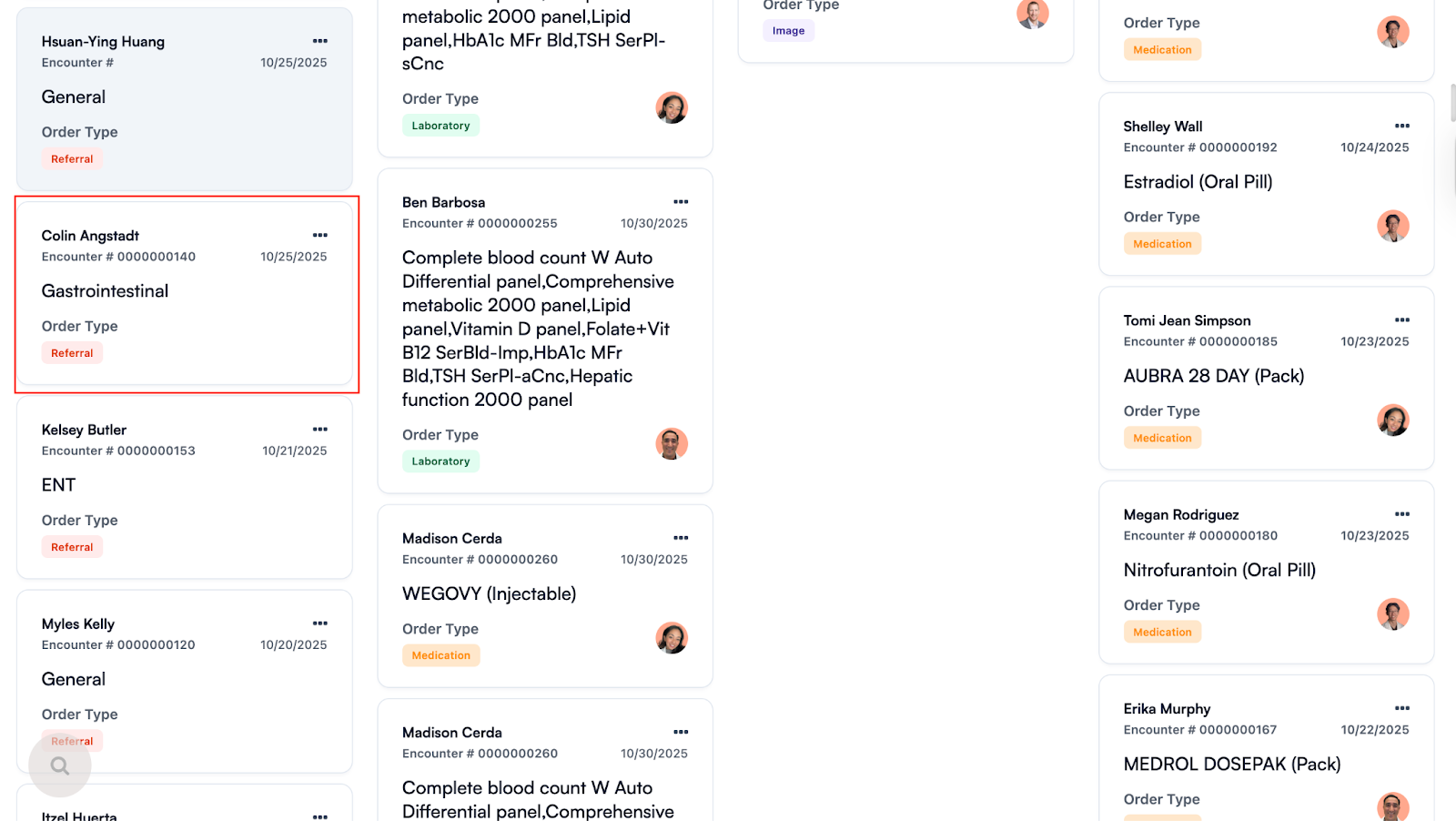
- Click on the action icon and select Edit.
- Open up a new tab and search the Patient name at the top to pull up their Patient detail page > Click Demographics so you can get their insurance info.
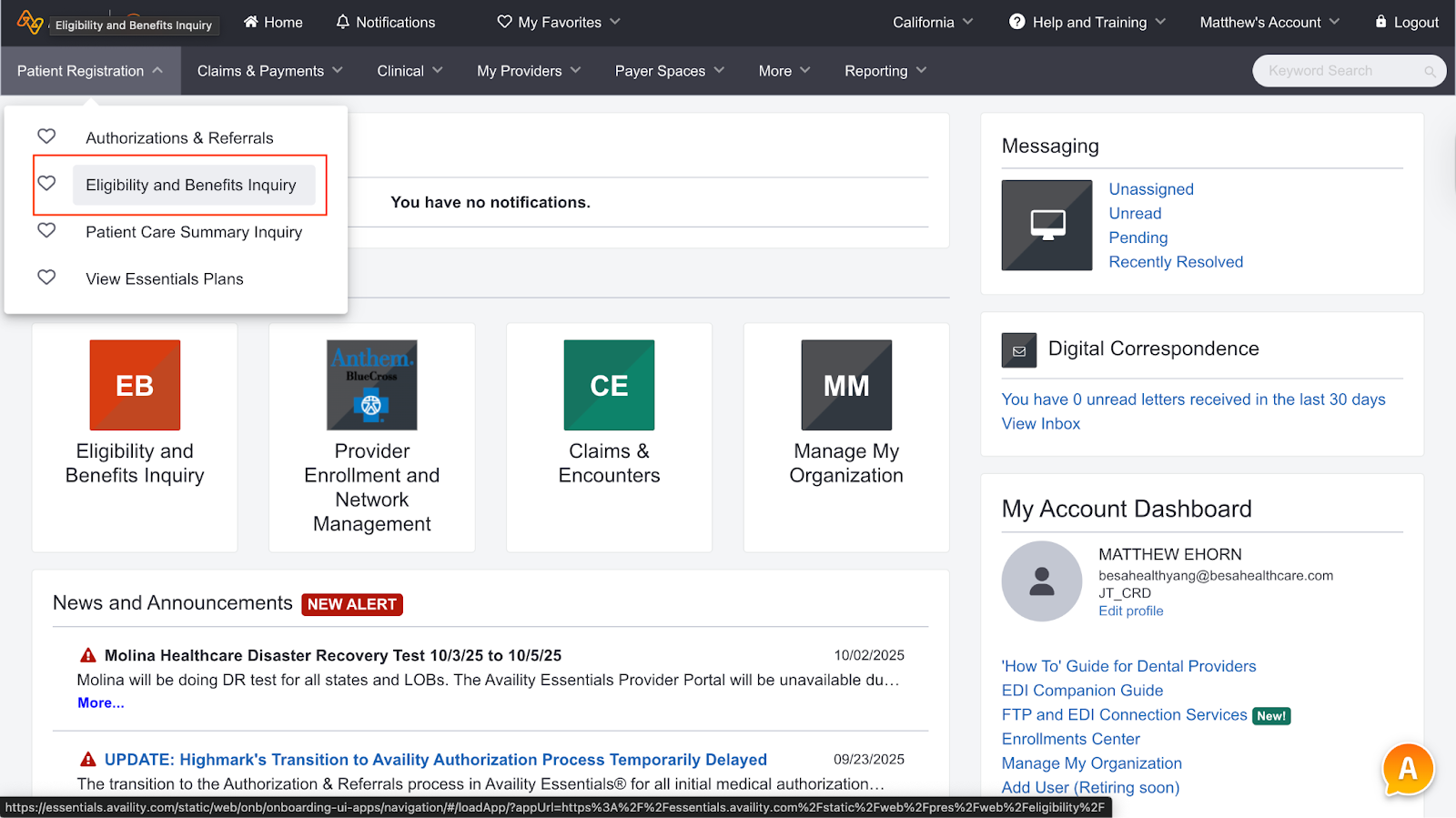
- From the homepage, click on Patient registration > Eligibility and Benefits
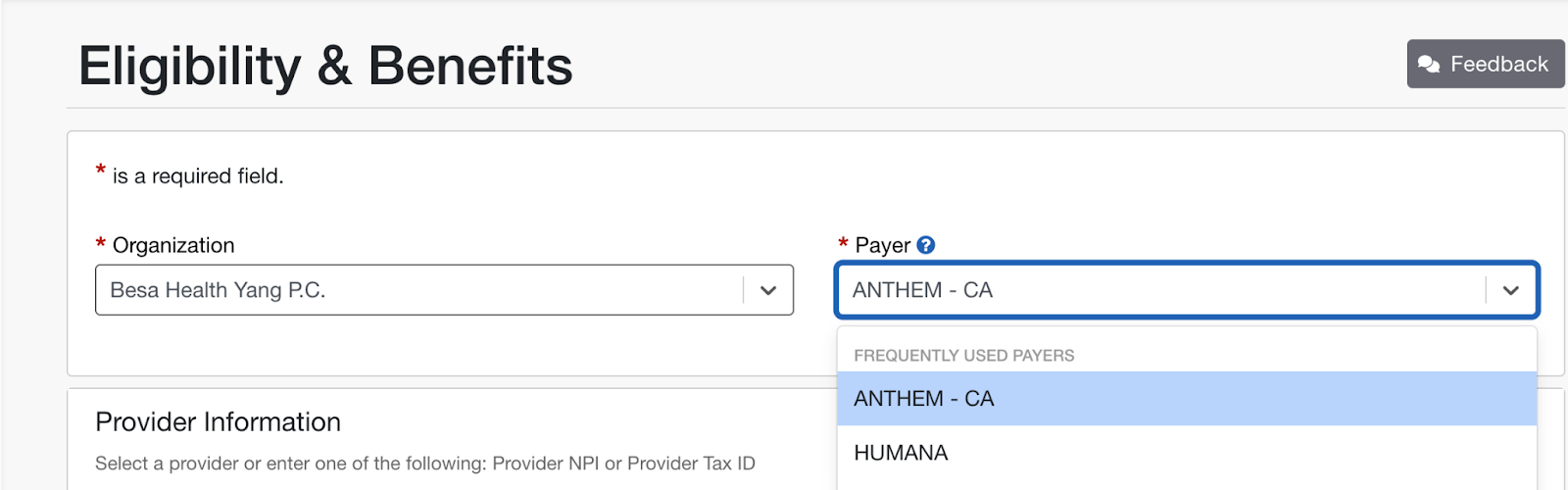
- In the Payor section, be sure to select Anthem - CA
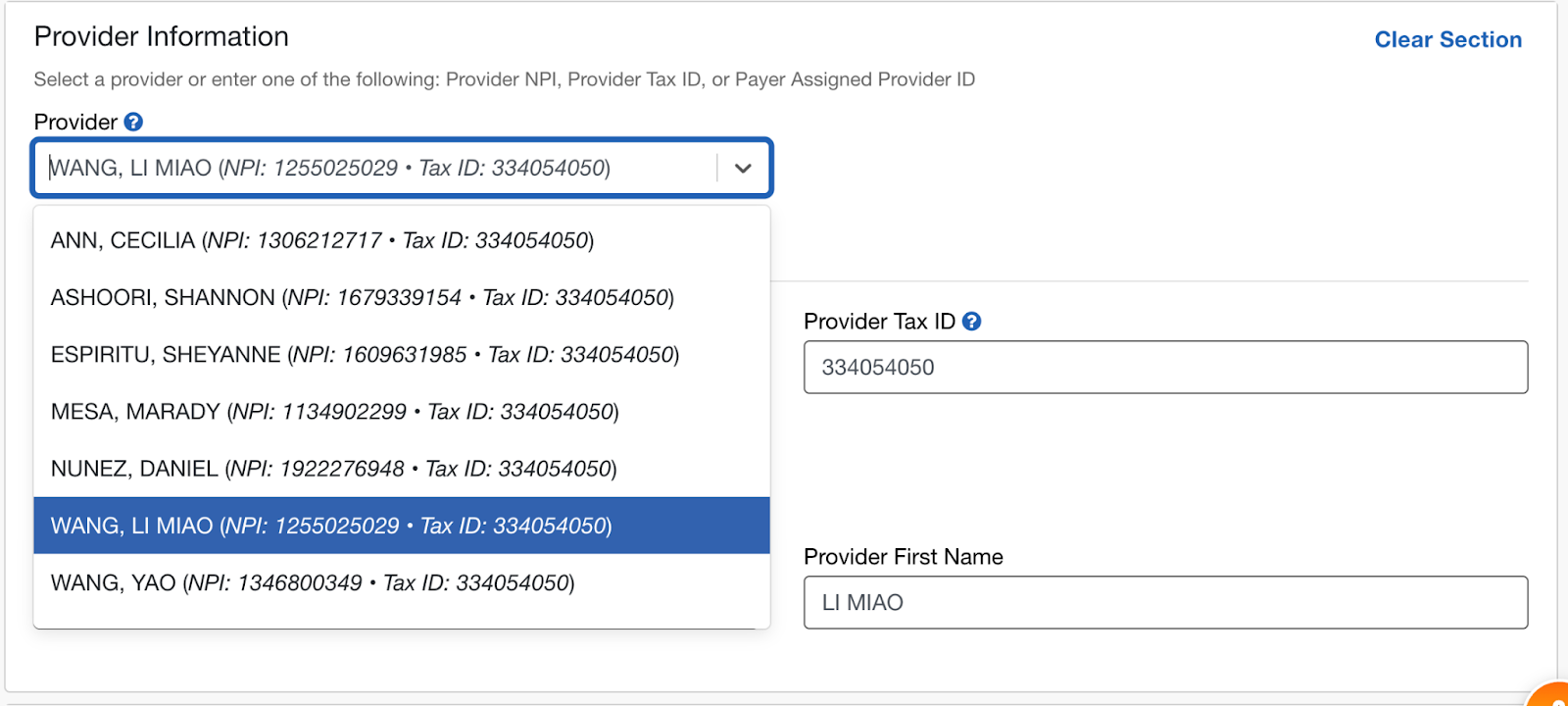
- Select the Provider the appointment is for.
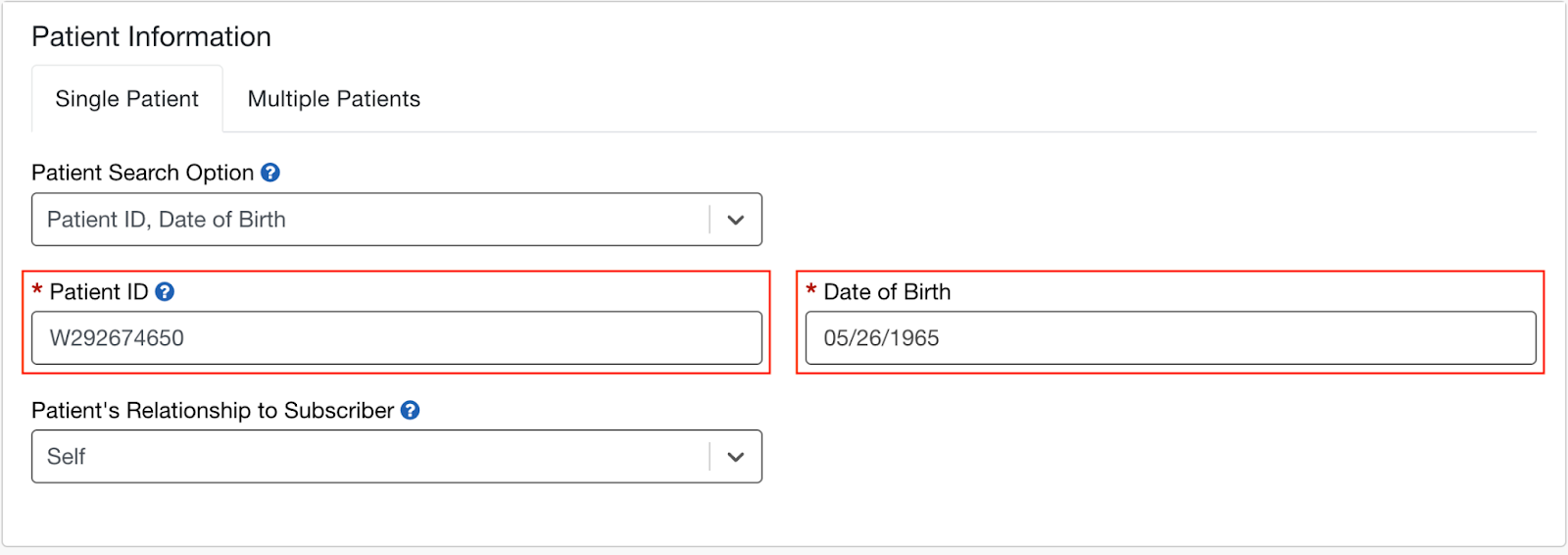
- In Patient Information, enter in the Patient Aetna Member ID and DOB
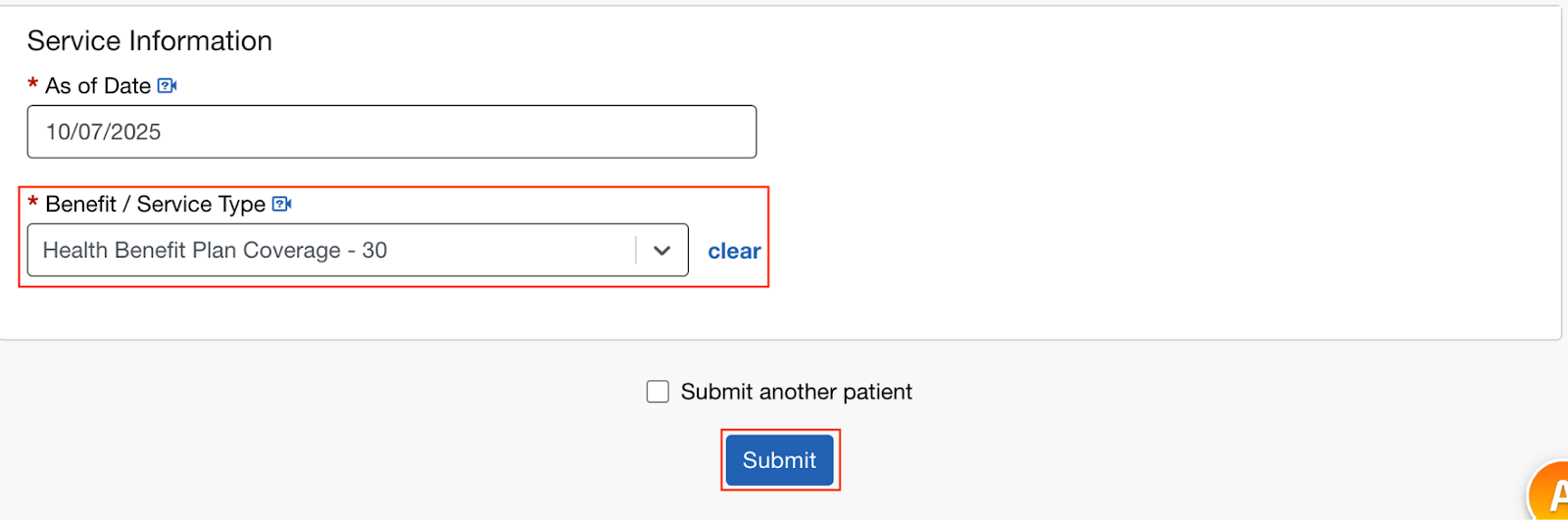
- In Service Information, type in 30 (Health benefit coverage) and click search.
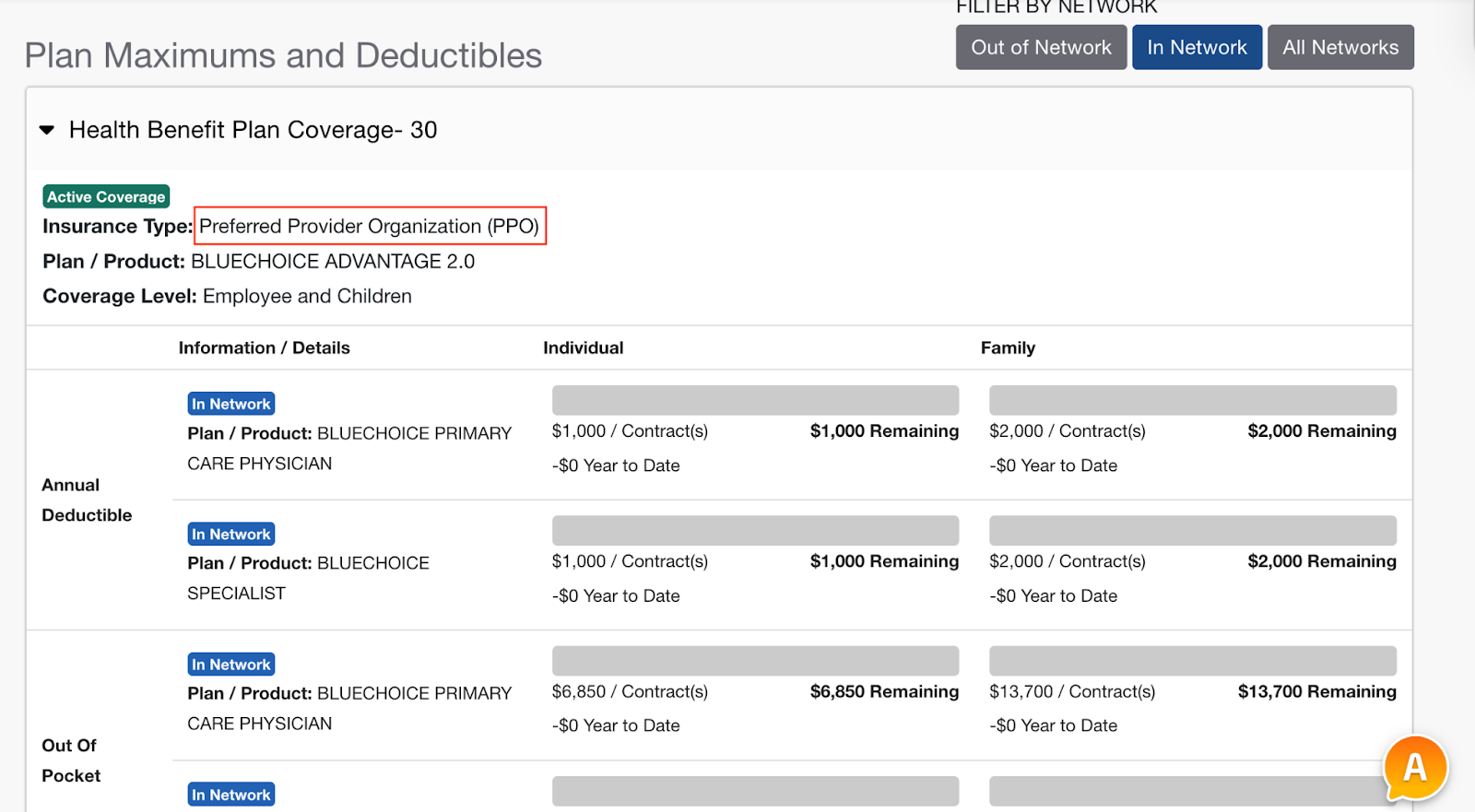
- Always make sure they have Active coverage.
- Make sure that the Patient has PPO insurance. You’ll see it listed under the Eligibility & Benefits section.
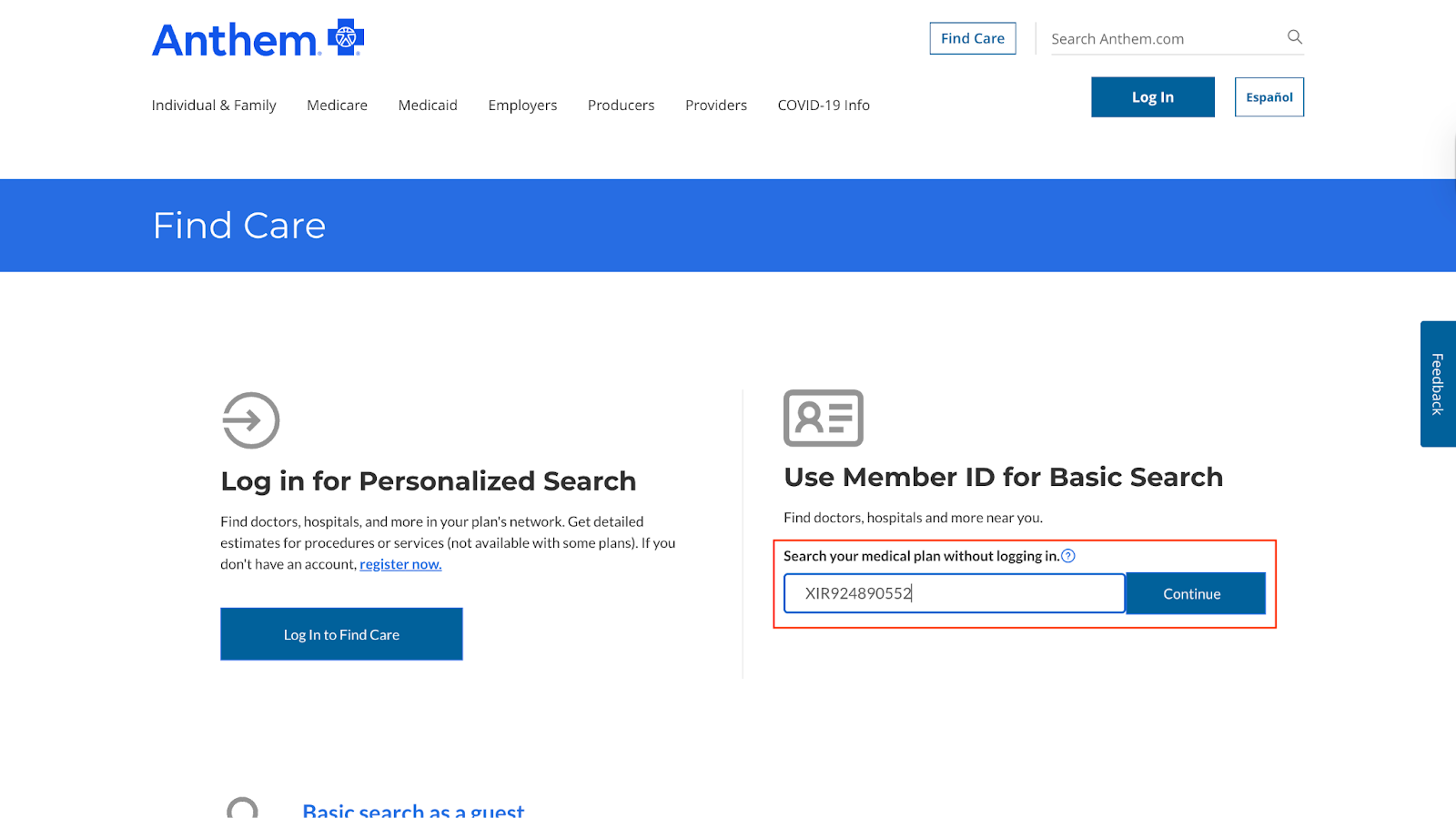
- Go to the Anthem provider search page.
- Type in the Member ID and search.
- Update the location with the Patients zip code and search for the provider type that the Patient needs.
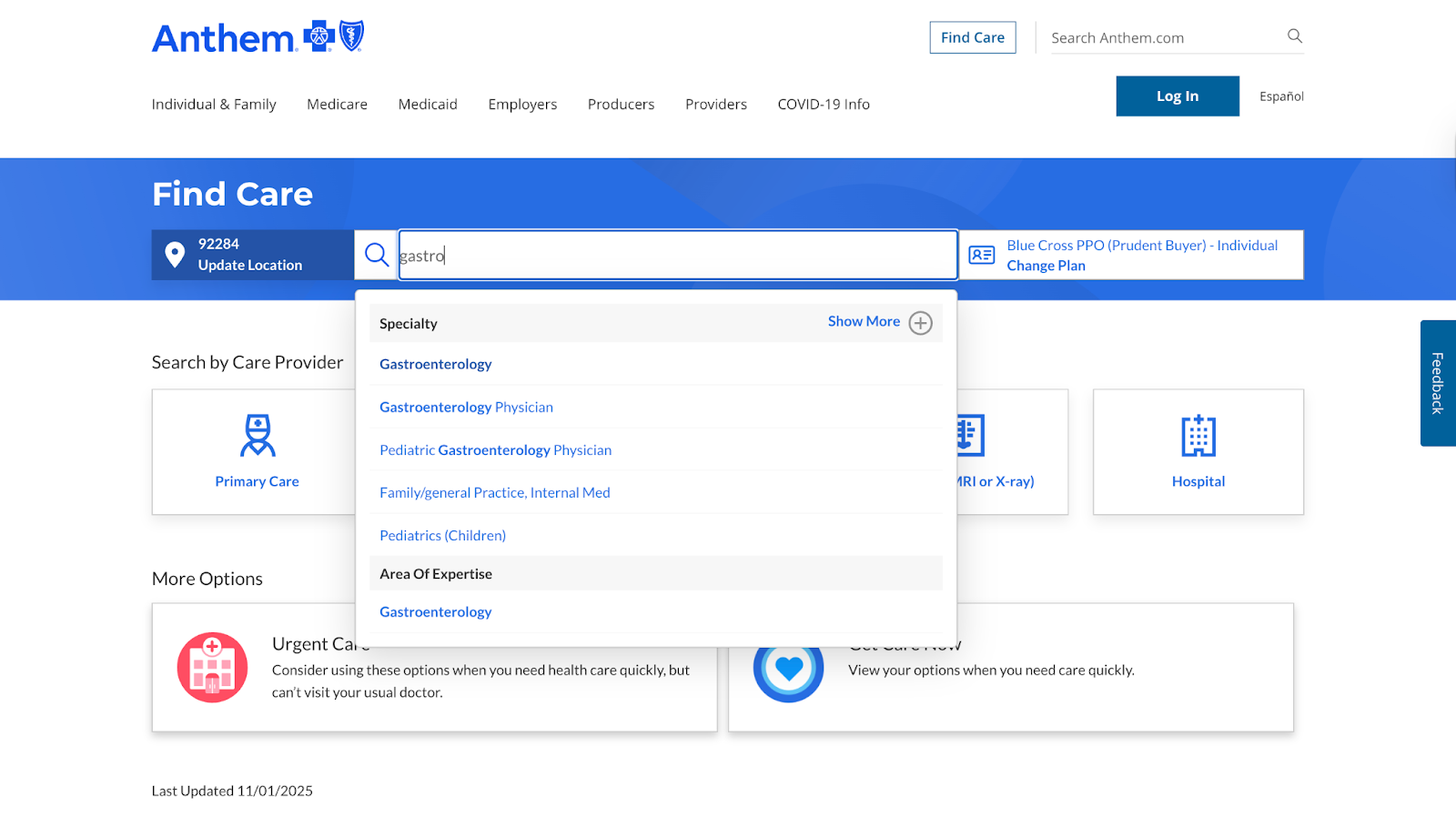
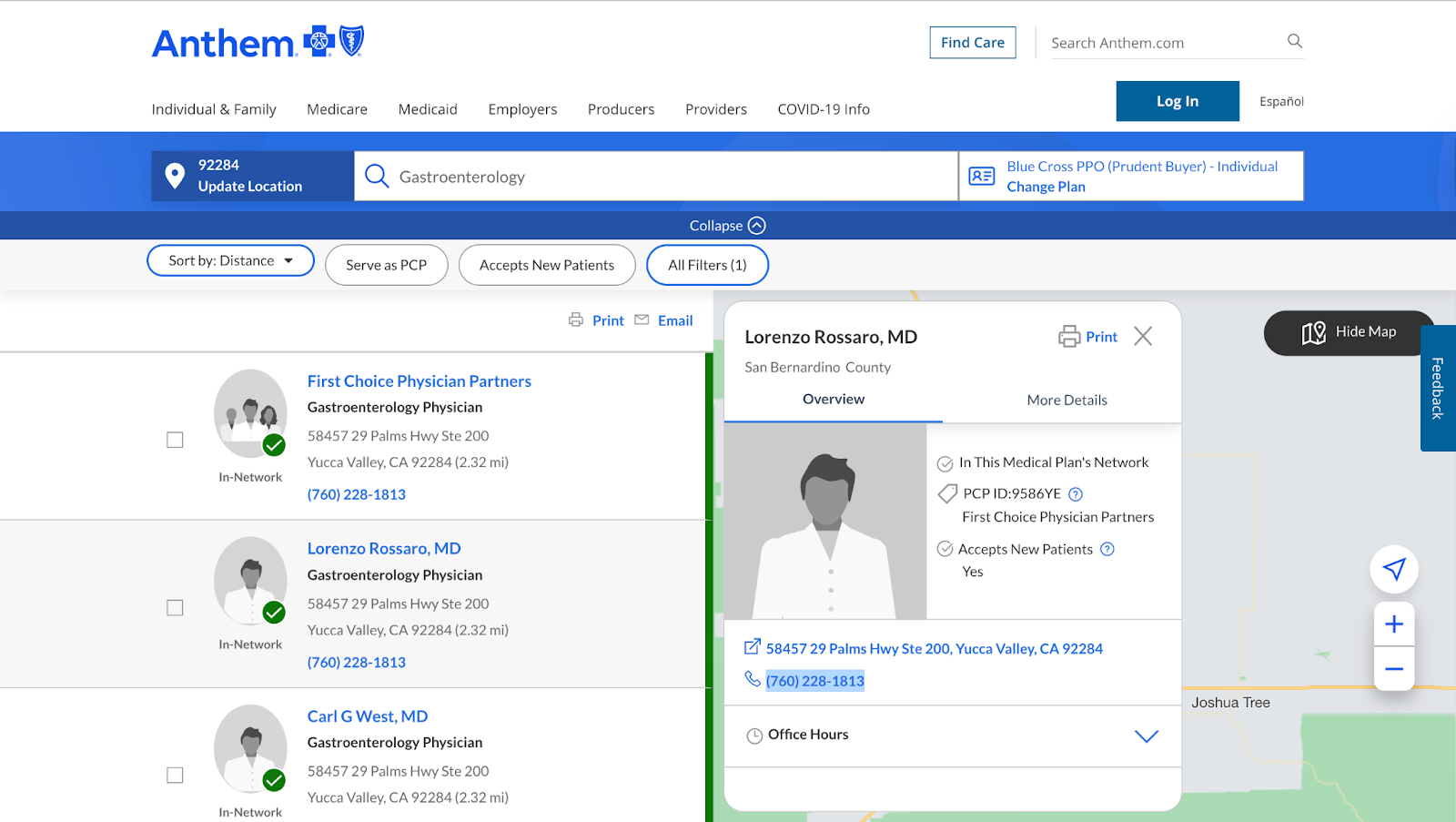
- You will now see all the providers listed. Look for providers with their name showing. This is a better chance of getting a non health system and therefore the Patient will have a much better experience.
- Google something like Cardiologist in Huntington Beach. We would like to google it as well because it gives you an idea for the type of provider they are. Ideally, we do not want to send the Patient to a big medical network because we cannot create relationships with them. The small specialists we can and eventually bring them on board to work with us as a team. Here is a good example:
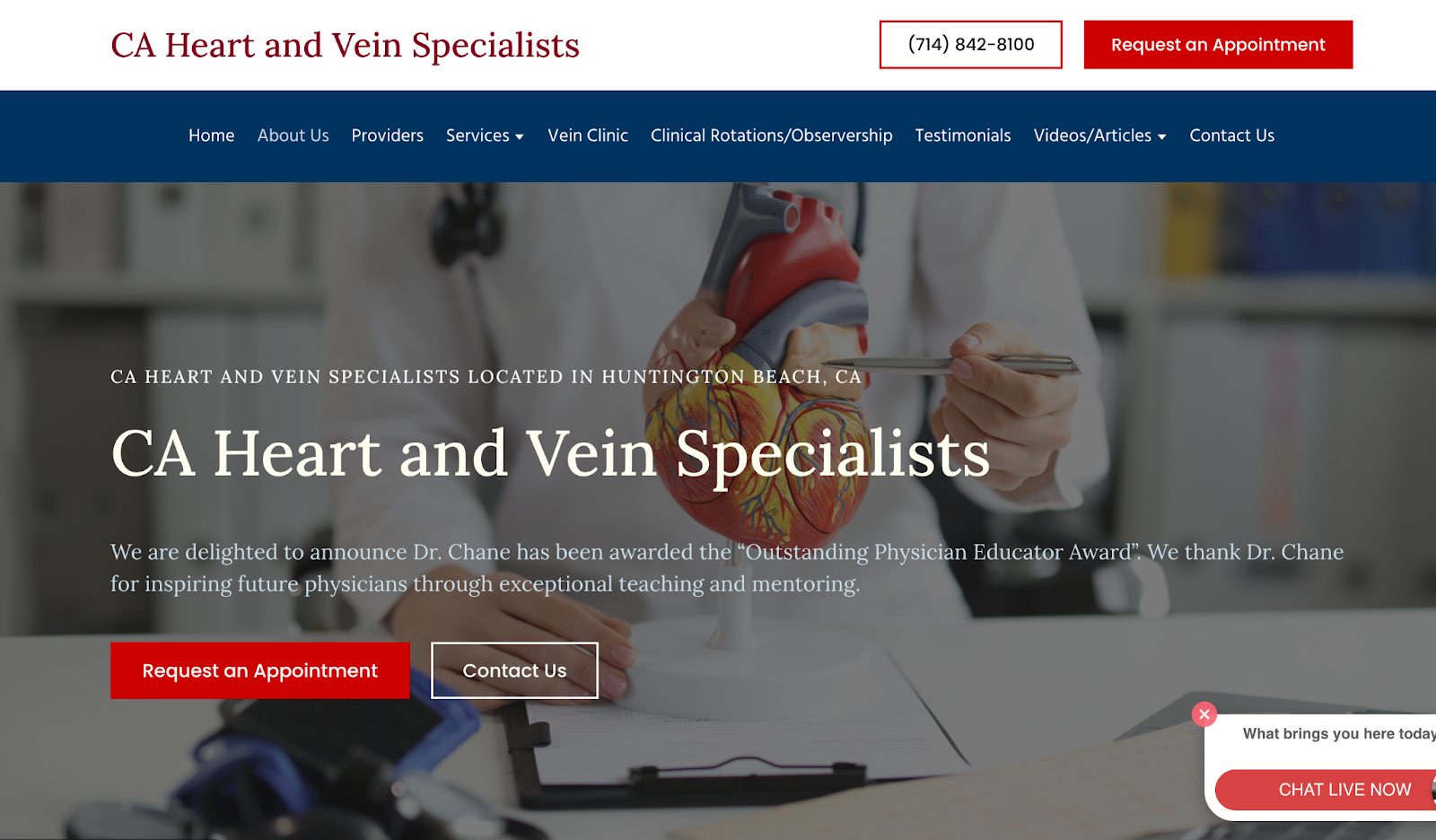
- Now, find the doctors name that is in that specialty and search them in the Anthem provider search.
- Click on the listing to pull up the provider details. We will want to call them and tell the the following information:
- We have a new Patient on a PPO plan that needs to see the provider.
- Ask them when the next availability is for a new Patient
- Get their email address. We send them an email with Patient info. They just need provider NPI to access the document.
- Also get their fax number because we will send them the order form and encounter notes via fax.
⚠️Call around to see what provider can be the soonest.
- Once you have the provider, go back to the respective order and add the provider in the guest provider fields. Most of all information will be found on the Anthem provider search site other than their email address.
- When you select Guest Referral within the order form, these fields will populate. Fill them in with the Provider info and click Save.
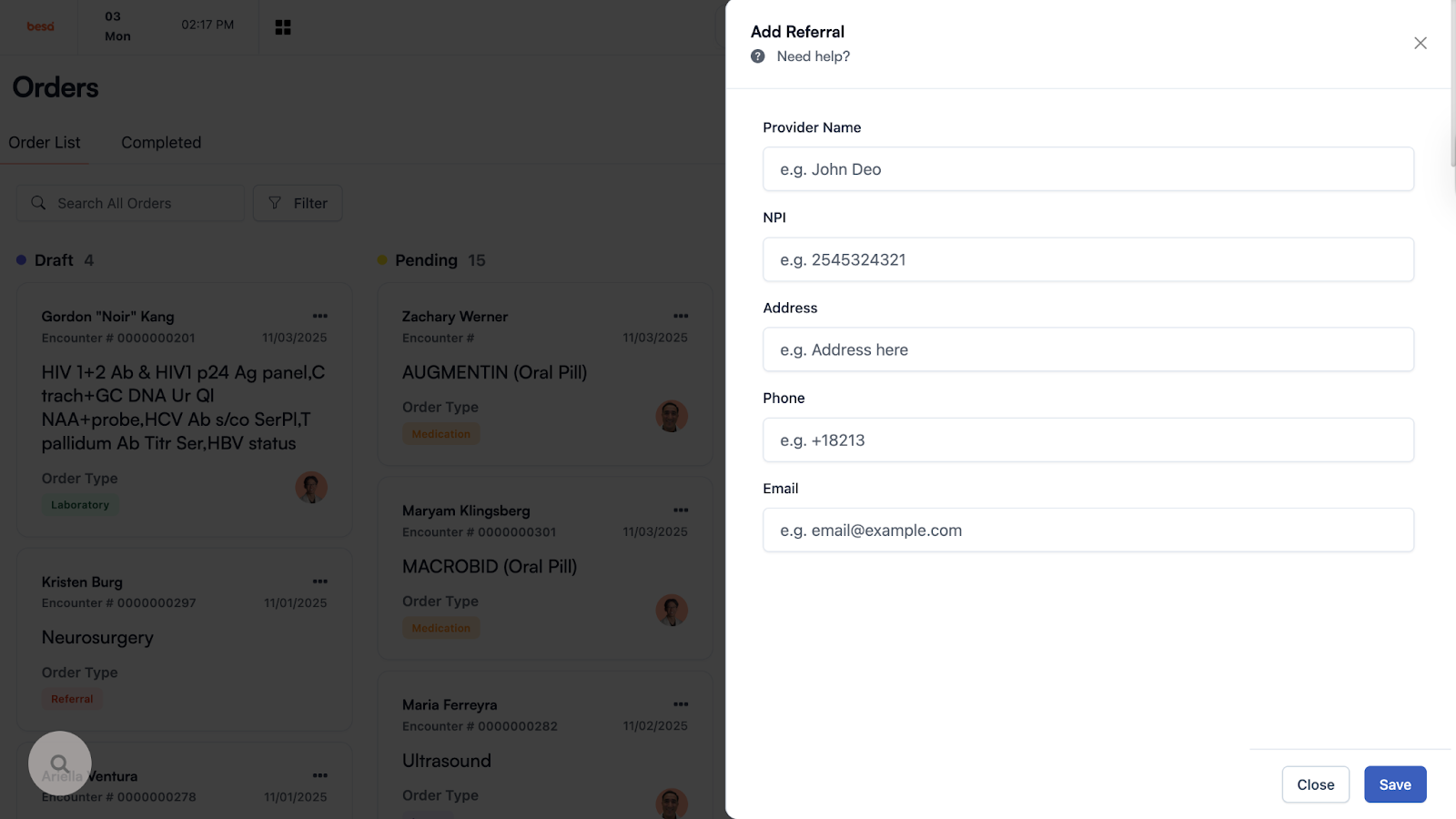
- Give a few seconds for the guest provider info to populate.
- Review all the information of the order.
- Once you have reviewed, make sure the order status is PENDING and click Save.
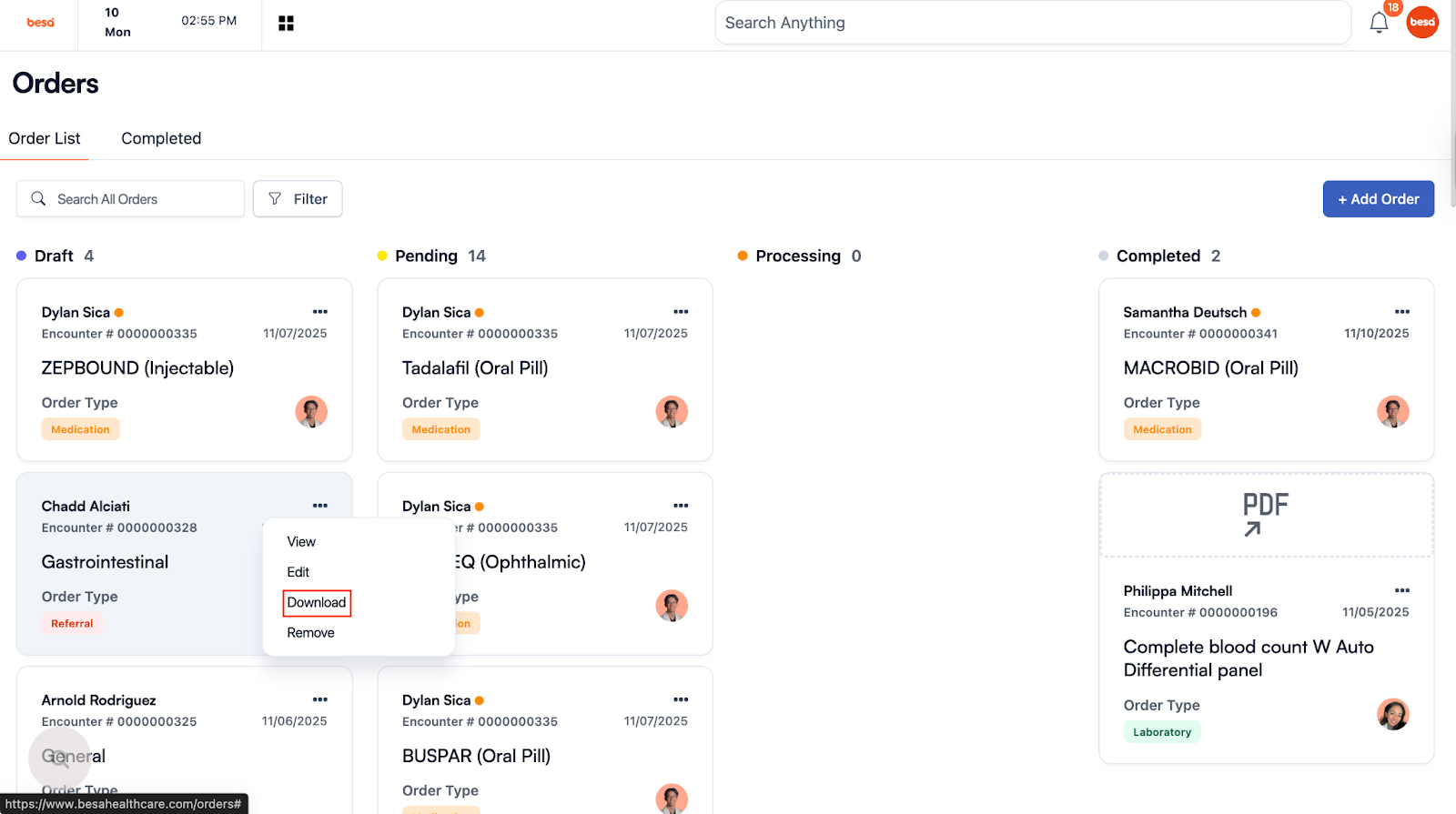
- To download the order request, click on the action icon and select: Download.
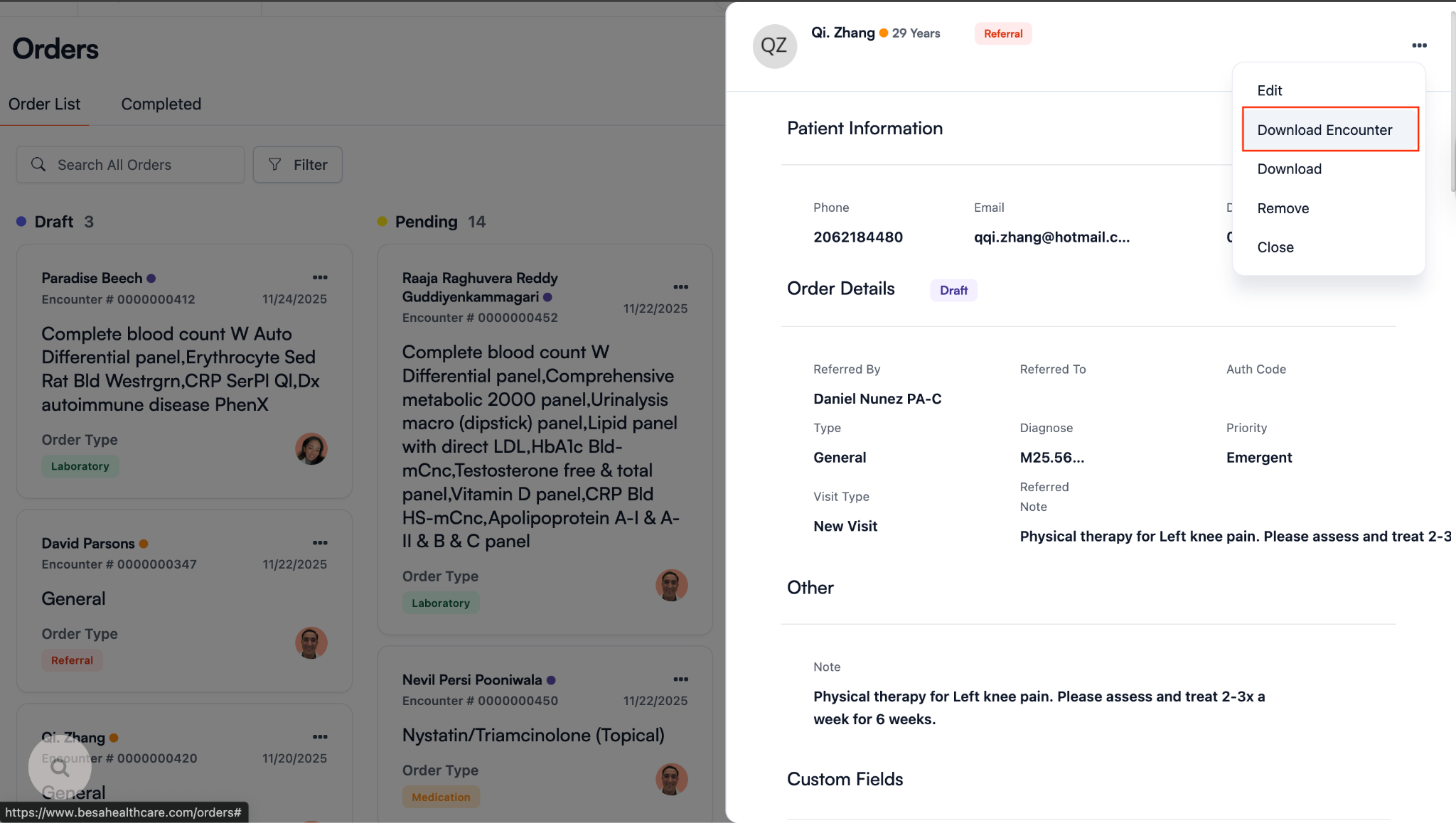
- To download the encounter notes, click view on the referral card to show the details > Click on the action icon and select Download Encounter.
You can also go to the respective encounter > Add items > Download encounter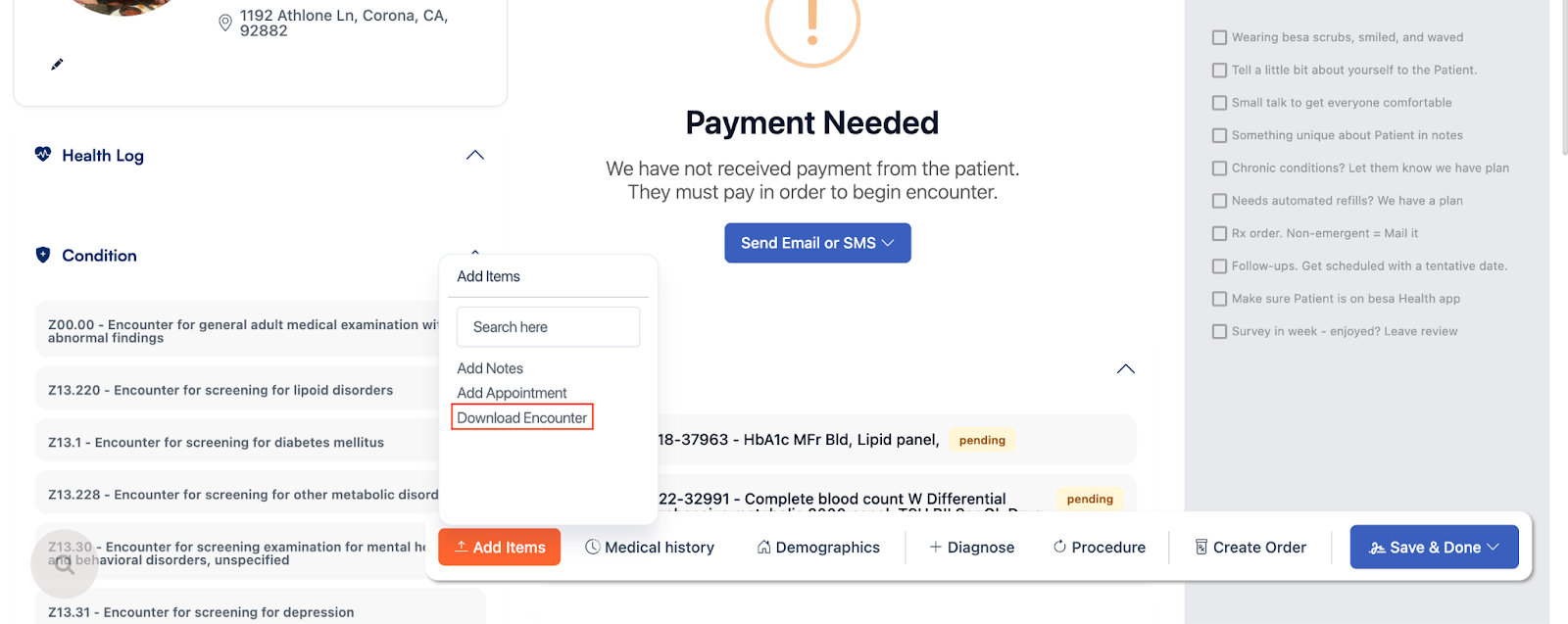
- Login to FaxBetter to send them a fax with all the referral info.
- Click on Send Fax. Add the fax number, send the order request. Then click Send Fax again to add encounter notes. Repeat if there are supporting documents needed.
- Using the information, send a chat to the Patient using the following Template:
Hi {Patient name} we have sent a referral out for you. We had called around to get the provider with the soonest availability. You will need to reach out to the office and schedule an appointment. When speaking to them, make sure to let them know you have a PPO plan and provide them with your insurance card info. Here is the information for the referral {Name, Address, Phone}. If we can assist with anything further please let us know. 😊
Here is a video to help you out.
Comments (0)