
We are very flexible with provider schedules. That being said, we want to give you every opportunity to ensure things are being recorded properly and your schedule is in your hands. Below we will break down the My Schedule tab of your profile page.
📚Resources Needed
🚀 Tips & Tricks
-
Update your Care Team profile from your profile page. This is also where remote team members would have created their default shift schedule and attached their Google Calendar. To know more about this, please view the following article.
- Create your schedule from the My Schedule tab
📘 Instructions
- Login to besa EHR using your credentials.
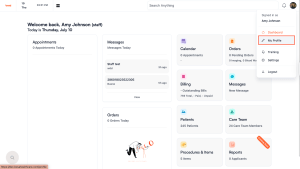
- Click on your initials or photo in the top right corner of your header.

- Select the My Profile link from the dropdown.
-
Now you will see your profile details along with your My Schedule tab.
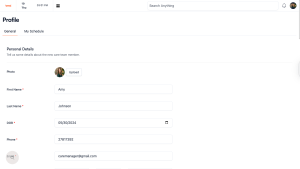
- If you need to update anything which is in your Care Team profile you can do that here. Things such as, but not limited to:
- Profile picture
- Default shift schedule
- Sync Google Calendar
- Location
- Specialty
- Hobbies
- Bio
- Much more
-
To create and or view your shifts click on the My Schedule tab.
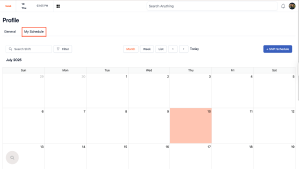
- Keep in mind that everything on this page works exactly the same as the Care Team articles that you have already gone over.
Here is a video to better help you.
If you have any questions or would like more information, please reach out to support.
Comments (0)